Client files in Telegram: a catalog for freelancers
A freelancer's paperwork arrives the way the work does: in chats. The contract comes from one person, the brief from another, the signed act a month later from a third, and the invoice you sent yourself is somewhere above all of them. When the accountant asks for "the act for March", you scroll.
You do not need another place to upload files to. You need a list of the ones you already have.
A layout that works
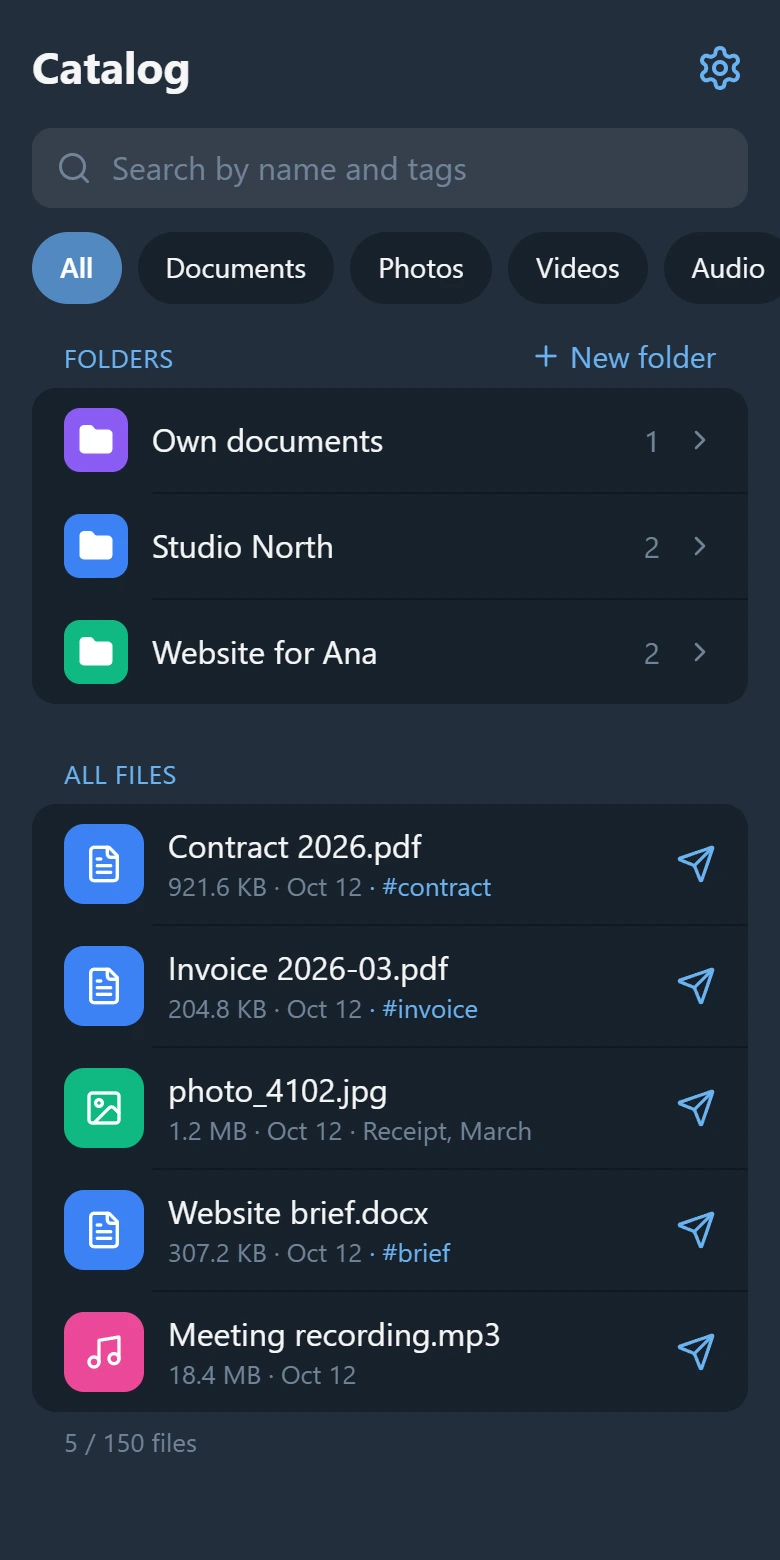
In ShelfKit a file has one folder and up to 20 tags. For client work that maps well onto two questions — whose is it, and what is it:
- Folders by client or project. "Studio North", "Website for Ana", "Own documents".
- Tags by kind of document.
contract,invoice,act,brief,source.
"The act for March from Studio North" is then the folder, the tag act, and a look at the dates.
How it goes day to day
- A client sends a file in Telegram. You forward it to the ShelfKit bot — the same gesture as forwarding it to yourself.
- In the Mini App you pick the folder and add a tag or two.
- When you need the file, you search by name and tags, or open the client's folder.
- You tap the file, and the bot sends it to your chat. From there you forward it wherever it has to go.
A good habit: before you send your own invoice to a client, name the file so that it can be found — "Invoice-2026-03-StudioNorth.pdf" — and forward your own message to the bot as well.
What to keep in mind
- Only what you forward is in the catalog. ShelfKit does not read your chats.
- The files stay in Telegram. ShelfKit keeps an index — the name, type, size and a reference to the message — and no copies. For that reason it is not a backup: a file is there for as long as Telegram keeps it. Keep contracts and anything you must be able to produce somewhere of your own as well.
- Search goes by name, folder, tag and type, not by the text inside a document.
- The free plan has 3 folders and 150 files. With more clients than that, use tags for clients too, or get Pro: it has no limit on folders or files.
Open ShelfKit in Telegram and forward the documents of the client you are working with now.
More: how to find a file in Telegram and how to tidy up Saved Messages.