Lecture notes and study files in Telegram: a catalog for students
By the middle of the term your study files live in the group chat, the chat with the class rep, three channels of lecturers, and Saved Messages. Each of them made sense on the day. The night before an exam, the question "where are the notes from lecture six?" has five possible answers.
A catalog gives it one.
How to lay it out
In ShelfKit every file has one folder and up to 20 tags.
- A folder per course. "Statistics", "Microeconomics", "English".
- Tags by what the file is.
notes,book,assignment,exam,slides. - A tag for the term, if you want last year's files out of the way but not gone:
2026-autumn.
The free plan has 3 folders. With more courses than that, keep folders for the heavy ones and tell the rest apart by tags — or get Pro, which has no limit on folders.
Day to day
- A file appears in a chat: the lecturer's slides, a book from a classmate, your own photo of the board.
- You forward it to the ShelfKit bot.
- In the Mini App you choose the course and add a tag.
- Later you search by a part of the name, pick the tag
notes, or open the course's folder — and the bot sends the file back to your chat.
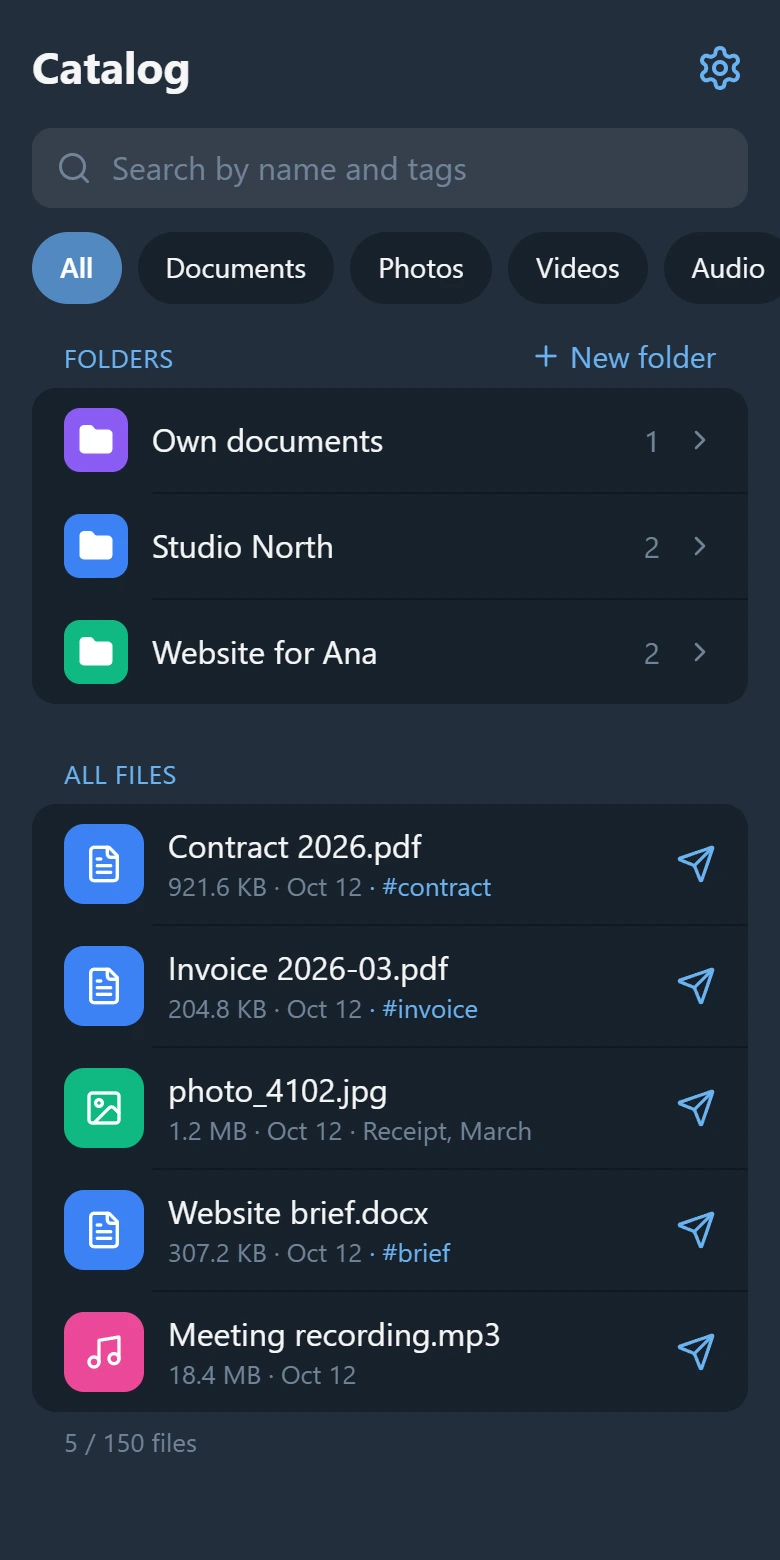
Photos of the board deserve a line of text when you send them: "Statistics, lecture 6, confidence intervals". A photo has no name of its own — in the catalog it is called something like "photo_1042.jpg" — and the caption is what search will find it by.
What it is and what it is not
- It is an index, not a second copy. The files stay in Telegram; ShelfKit keeps their name, type, size and a reference to the message. If the message is deleted — a group chat is cleared, a channel is closed — the file is gone and only its entry is left. Keep what you cannot afford to lose somewhere of your own too.
- Only what you forward gets in. ShelfKit does not read your chats or Saved Messages.
- It does not search inside documents. It finds a book by its name and tags, not by a sentence on page 40.
- It is yours alone. There is no shared catalog for a study group: each person keeps their own.
Up to 150 files and 3 folders are free, with tags and search. Open ShelfKit in Telegram and start with this term's files.
More: how to find a file in Telegram and how to tidy up Saved Messages.