How to take client bookings in Telegram: chats, a table or a booking bot
If your clients already write to you in Telegram, your whole schedule can live there. There are three ways to do it by hand. Each one works; they differ in how much of your day they take.
1. Agree on a time in the chat
The client asks, you look at your notebook or calendar and answer. There is nothing to set up, and the conversation stays personal.
It stops working when the questions pile up. Every booking takes several messages, you answer them between clients, and a time you offered to one person may already be promised to another.
2. Pin a message with your free times
Write this week's free times in one message, pin it in your channel or send it to anyone who asks, and strike a time out when somebody takes it.
Clients see what is free without asking, which removes the first question. But the list is only as fresh as your last edit, two people can still answer to the same time, and nobody is reminded of anything.
3. Keep a shared table or calendar
A spreadsheet or a calendar with free and taken times is a real schedule: every day is there, and you see your week at a glance.
The weak point is the client's side. Either you keep entering every booking yourself, or you let clients edit the table — and then anyone can change anyone else's line.
When a booking page is worth it
A booking page does the part the three ways leave to you: the client picks a free time themselves, that time disappears for everybody else, and both of you are told.
This is what VisitKit does inside Telegram:
- You list your services with their length and price, and your working hours for each day of the week.
- You send clients your link — in a chat, in your profile, or as a QR code at your workplace.
- The client opens it in Telegram and picks a service, a day and a free time, then leaves a name and a phone number. Times are shown in the client's own time zone, for the next 30 days.
- You get a notification. The bot sends the client a confirmation and reminders a day and two hours before the visit.
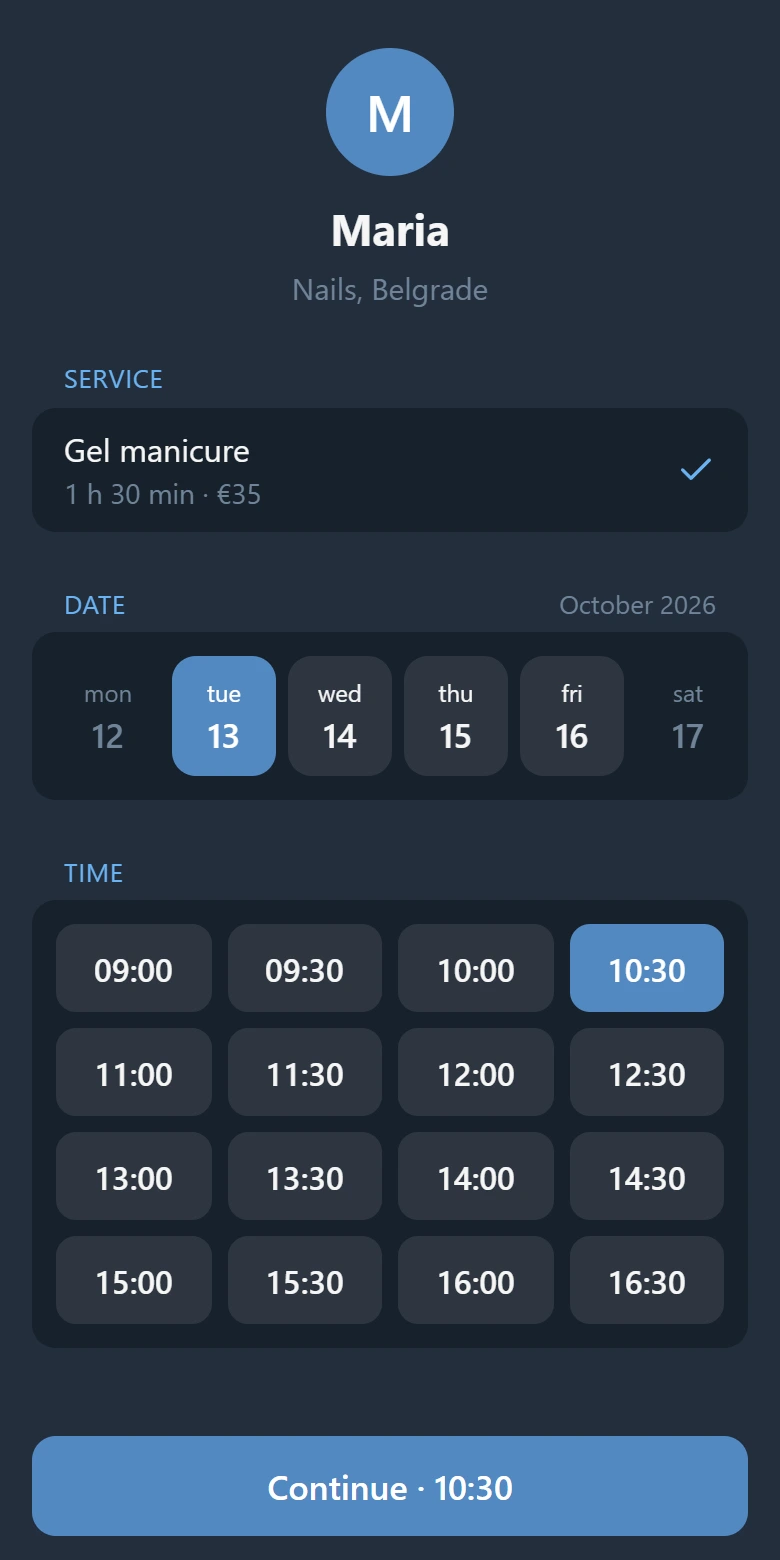
A client can cancel a booking themselves; the time is free again, and you are told.
What it does not do
VisitKit is for one specialist whose clients are in Telegram. It does not take payment for your services: the client pays you directly. It does not sync with Google Calendar or other calendars. And it is not a directory: clients come by your own link.
Up to 15 bookings a month are free. Open VisitKit in Telegram and create your page.
Next: how to reduce no-shows.