Who owes who: a calculator for shared expenses
A trip, a shared flat, a birthday dinner: several people paid for different things, and not every expense was for everyone. Write down who paid, how much and for whom. The calculator works out each person's balance and who pays whom.
The calculator
People
Expenses
Result
| Person | Paid | Share | Balance |
|---|---|---|---|
| Anna | 114.00 | 38.00 | +76.00 |
| Boris | 0.00 | 50.75 | −50.75 |
| Me | 25.50 | 50.75 | −25.25 |
Who pays whom
- Boris pays Anna 50.75
- Me pays Anna 25.25
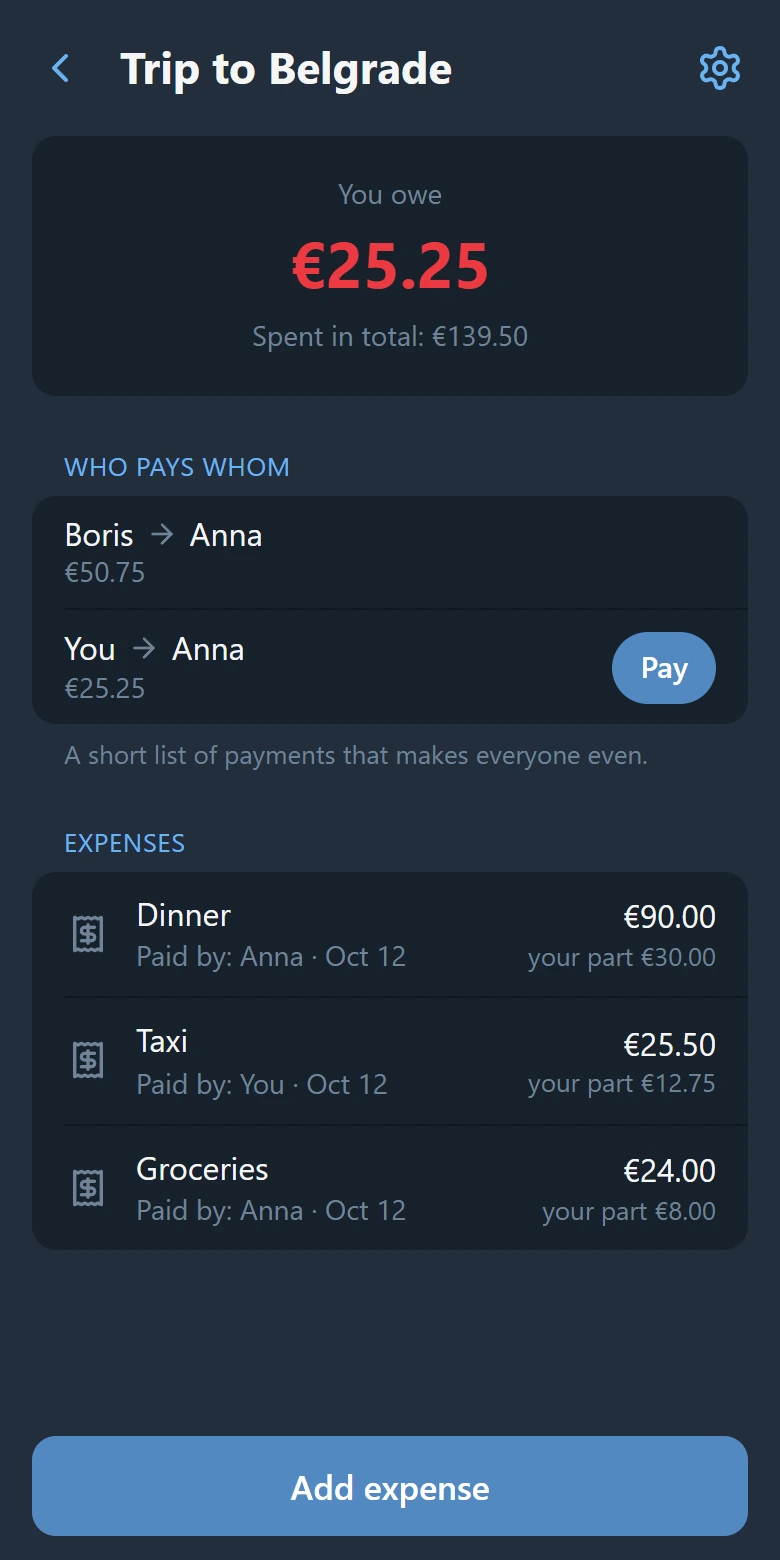
It opens with an example: a weekend of three friends. Anna paid for the dinner and the groceries for all three; the taxi was paid by one of the two who rode in it. Put in your own names and amounts, add people and expenses, take away what you do not need.
How it counts
- Every expense is divided evenly among the people it was for. Cents that do not divide are handed out one at a time, so the parts always add up to the amount.
- For every person it adds up what they paid and what their parts come to. The balance is "paid" minus "share". A plus means the others owe this person; a minus means this person owes.
- The one who owes most pays the one who is owed most, and so on until every balance is zero. That gives a short list of payments instead of a payment for every expense.
All the balances together are always zero. If you count by hand and they are not, an expense was written down twice or somebody's part was left out. The same method on paper, step by step, is in the guide on how to calculate who owes what.
What it does not do
- It keeps nothing. What you type stays in this page and is gone when you close it. Nothing is sent to a server.
- It only splits evenly. An expense is divided into equal parts among the people ticked. For a bill where everyone took something different there is the split bill calculator.
- It knows one currency. Amounts are added as they are written; nothing is converted.
When one evening is not enough
A calculator settles one evening. For a trip or a shared flat the list has to live where all of you can see it and add to it. SplitKit keeps it in Telegram: everyone adds expenses to the group, the balances are counted the same way as here, and the group screen shows who pays whom.
Up to 3 groups of your own are free. Open SplitKit in Telegram.